Shopify · supervised beta setup
An order comes in.
You know what to ship.
Connect Shopify orders to your Formul items, allocate finished batches and record fulfillment. We arrange beta connections with you; production app approval and store acceptance are still in progress.
180 days free. No card. Then $19/month.
- 01
Arrange setup
Check whether your store is ready.
Contact us before planning around a live connection. We’ll review access, the supported workflow and current beta availability with you.
- 02
Match
Connect products and locations.
Review item codes and storage-location mappings. Resolve missing or ambiguous matches before importing and fulfilling orders.
- 03
Allocate
Choose the finished stock.
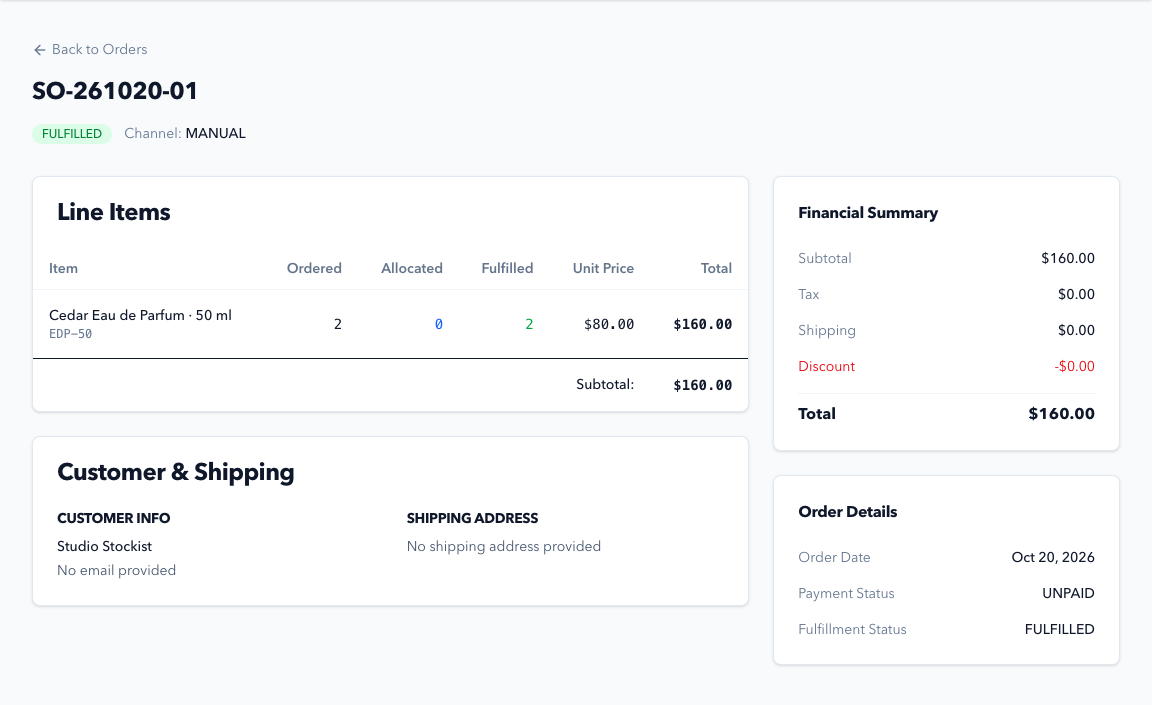
The Formul sales order holds item quantities and batch allocations. Reservations reduce availability while physical stock remains on your shelf.
- 04
Fulfill
Record the shipment and follow its status.
Recording fulfillment reduces physical stock. The integration workflow sends fulfillment updates back to Shopify and surfaces work that needs attention.
Solo Maker
Time to get
your stock in order.
Inventory, purchasing, formulas, production, costing and sales orders in one workspace.
Questions before you start? Talk to us$19 / month
After your 180-day free trial.
One user. No card needed to start.
180 days free. No card. Then $19/month.